Deposit Sent but Not Received: An Hour of Panic and One Message
What to do if your crypto casino deposit hasn't arrived: one player's story, five common causes, how to check a transaction and a ready-made support message.
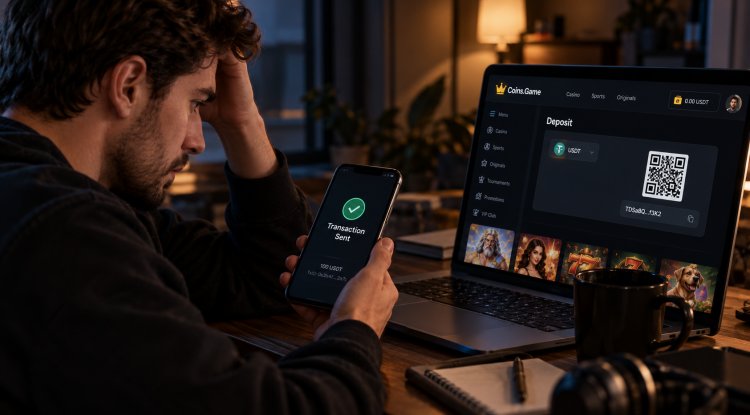
Almost everyone who has ever topped up a crypto casino knows this story. The money has left your wallet, but your casino balance still says zero. Your heart sinks. Below is the story of one such evening. The hero is a composite character, let's call him Max, but the situation is very real, and it almost always ends the same calm way.
9:03 PM. "Sent"
Friday evening. Max finally decides to try the new slot everyone in the chat has been talking about all day. He opens the Coins.Game cashier, copies the USDT address, switches to his wallet, pastes the address, enters $100 and hits "Send". The wallet cheerfully reports: "Transaction sent".
Max goes back to the casino and refreshes the page. Balance: 0.
9:08 PM. "It'll be here any second"
Another refresh. Zero. He makes tea. Zero. He checks his email in case something came in. Nothing.
9:20 PM. Panic
Seventeen minutes have passed. A whole TV series is playing in Max's head: "I got the address wrong." "The casino took my money." "That was the last time I saw those 100 dollars." He's halfway through writing an angry social media post.
Sound familiar? Then do what Max eventually did. Stop and breathe. In the vast majority of cases the money hasn't gone anywhere. It's simply still on its way.
9:25 PM. Checking the hash
Every blockchain transfer gets a unique ID, the transaction hash (also called TxID). You'll find it in your wallet or exchange history. Max copies the hash and pastes it into a block explorer for his network: blockchain.com for Bitcoin, for example, etherscan.io for Ethereum, tronscan.org for TRON. The Coins.Game help center actually recommends doing exactly this whenever you're in doubt.
And here's what he sees: the transaction exists, the money went to the right address, but it doesn't have enough confirmations yet. The network is busy on a Friday night and the transfer is waiting in line.
9:40 PM. Support chat
Just in case, Max opens the support chat right on the Coins.Game site, via the Support button in the menu. He keeps it short: coin and network, amount, time, hash. The reply: the transaction is visible and waiting for the required number of confirmations, after which the money will appear on his balance automatically.
10:05 PM. Balance: 100
The money is there. Nothing was lost, nobody stole anything. The network was just slower than usual. The Coins.Game help center is upfront about this: confirmation usually takes 5–10 minutes, but depending on the network and the fee it can take anywhere from 10 minutes to a few hours.
Max breathes out, deletes the draft of his angry post and goes off to spin that slot.
Why a deposit can get "stuck": five reasons
Max's story is the most common one, but not the only one. Here's what usually lies behind a "missing" deposit, from most to least common.
- The network is busy. The transfer is waiting for blockchain confirmations. Fix: wait and check the hash in a block explorer.
- The exchange hasn't sent it yet. If you're withdrawing from an exchange, it may hold the transfer for its own review. The exchange history will show "processing" and there'll be no hash yet. Fix: wait for the exchange, not the casino.
- The fee was too low. If you picked the minimum fee, miners are in no hurry to include the transaction in a block. Fix: wait. Some wallets let you speed up a transfer.
- A large deposit is waiting for verification. Under Coins.Game rules, deposits over $2,000 are held until the player completes the second verification step. That's protection, not an error. We explained why in Why Does a Casino Want Your Face?
- Wrong network or a missing tag. The most unpleasant case: the coins were sent over a different network or without a memo tag that, for example, XRP requires. Fix: contact support right away with the hash and details. The sooner, the better.
How to avoid number five is covered in detail in our guide to fees, speed and networks.
A ready-made support message
If the money hasn't arrived after a couple of hours and everything looks normal in the block explorer, contact support. Copy this template and fill in your details:
Hi! I sent a deposit, but it hasn't appeared on my balance yet.
Account login or email: ...
Coin and network: e.g. USDT (TRC-20)
Amount: ...
Date and time sent: ...
Transaction hash (TxID): ...
Address I sent to: ...Could you please check the status? Thank you!
Why this message works: support doesn't need to ask follow-up questions, it has everything it needs to find the transfer right away. A screenshot from your wallet showing the hash helps too.
What not to do
- Don't send the same deposit again "just in case". The first one is most likely on its way, and both will end up arriving.
- Don't talk to "helpers" on social media. If "casino support" messages you privately and offers to "recover your deposit" for a fee or asks for your password, it's a scam. Real Coins.Game support answers in the chat on the site.
- Don't panic too early. Waiting 20 minutes on a busy network is completely normal.
How it goes at Coins.Game
In short: calmly. The Coins.Game help center answers the question "Can my deposit get lost?" like this: it's highly unlikely, as long as you copy the address exactly, without any changes. Almost all "missing" deposits turn out to be slow ones, just like Max's. For everything else, the support chat is open right on the site, and with the right message the issue gets resolved quickly.
The good news is that these situations are almost entirely preventable. Copy the address or scan the QR code, check the network, and choose cheap, fast networks for deposits. It's even easier from your phone, as we showed in Coins.Game on Your Phone.
And if you're still choosing where to play, take a look at our full Coins.Game review or go straight to the casino site.
What's Your Reaction?