Coins.Game on Your Phone: How to Install and Play on Mobile
How to play Coins.Game on your smartphone without downloading an APK: adding it to your home screen on Android and iPhone, navigation, deposits and safety.
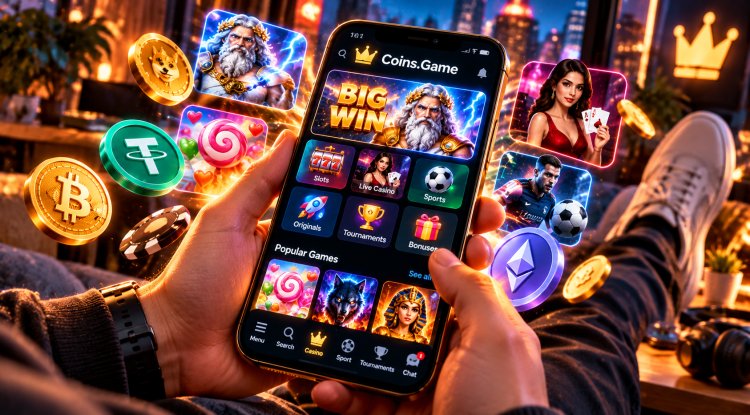
Most players have been using their phones for casino games for a long time: on the subway, in a queue, on the couch instead of a laptop. But mobile play comes with its own questions. Do you need to download an app? Is it safe to install an APK? How do you deposit from a phone? Here's how the Coins.Game mobile version works and how to turn it into a proper "app" in thirty seconds.
App or browser
Coins.Game has no separate app in the App Store or Google Play, and you don't need one. The site is built as a PWA (progressive web app). Open coins.game in your phone's browser, add it to your home screen, and from then on it launches from an icon like a regular app: full screen, with no browser address bar.
This approach has advantages:
- Nothing to download from third-party sources. No APK files from shady websites, so no risk of catching malware disguised as a "casino app".
- Updates arrive automatically. You always open the latest version of the site.
- Takes up almost no space. It's not a heavy program, just a shortcut to the web version.
If someone offers you an "official Coins.Game app" as a file to download, be careful: the real way to install it is only through the browser.
How to install on Android
- Open coins.game in Chrome.
- Tap the three dots in the top right corner.
- Choose "Install app" or "Add to Home screen" (the wording depends on your browser version).
- Confirm, and the Coins Game icon will appear on your home screen.
How to install on iPhone
- Open coins.game in Safari.
- Tap the Share button (the square with an arrow).
- Scroll down and choose "Add to Home Screen".
- Tap "Add". The icon will appear next to your other apps.
Finding your way around
On a phone, the main menu sits at the bottom of the screen so everything is within thumb's reach:
- Menu: site sections, bonuses, VIP club, help.
- Search: find a game by name, handy among 6,000+ slots.
- Casino: slots, live casino and Coins.Game's own games.
- Sport: sports and esports betting.
- Tournaments: tournaments and races.
- Chat: the community chat, home of Coins Game Drop and rain.
You can also sign up and log in with your Google account, which is quicker than typing a password on a small keyboard.
Deposits and withdrawals from your phone
Depositing from a phone is even easier than from a computer. If your crypto is in a mobile wallet, you don't need to retype the casino address: copy it or scan the QR code. If you don't have crypto, you can buy it with a card via Buy Crypto right on the site.
The main rule is the same as on desktop: the sender's network must match the network of the casino address. We covered which crypto is best for deposits and withdrawals in our guide to fees, speed and networks.
Staying safe on your phone
- Turn on two-factor authentication (2FA). If you lose your phone, nobody gets into your account without the second factor. Plus, enabling 2FA, verifying your email and setting an avatar earn rewards in the Tasks section (tasks unlock from level 3).
- Use a screen lock. A casino with a saved login in the wrong hands means access to your balance.
- Avoid public Wi-Fi when you can. Mobile data is the better choice for deposits.
- Install only through the browser. No APKs and no "modded versions".
Bonuses are easier to catch on mobile
Many Coins.Game promos reward regular play, and a phone makes them easier to keep up with. The Coins Spin wheel can be spun once every 24 hours, new Free Spins Hunt promos start every Monday, Wednesday and Friday, and Sunday Turbo lasts just 45 minutes. It's all in our guide to no-wagering free spins, and newcomers should start with Beginner's Path and its 52 free spins.
The casino also posts news and promo codes on Telegram: @coins_game.
In short
- No need to download an app: add coins.game to your home screen through the browser.
- All the main sections are in the bottom menu.
- Deposit by copying the address or scanning the QR code, and mind the network.
- Turn on 2FA and a screen lock.
Mobile play is always at hand, and that's also its downside: it's easy to get carried away. Decide your budget in advance and take breaks. You can open Coins.Game on your phone right now.
What's Your Reaction?